BETA 1.15 is out · Team is here

WPFMA
SDK

One panel in Unity with everything you need for VRChat avatars and worlds. Now you can build with up to 3 friends, live.

45+tools in one panel
4people building live
2project types: avatars & worlds
$0free, always
New in 1.15

Build together,
your way

Team

Work on one project, live

  • Host a session, send the code, up to 3 friends join.
  • Your PCs connect straight to each other. Nothing goes through a server.
  • Paid stuff like Poiyomi Pro is never sent. Friends get a list of what to buy.
  • Closing Unity or a crash won't end it. You rejoin by yourself.
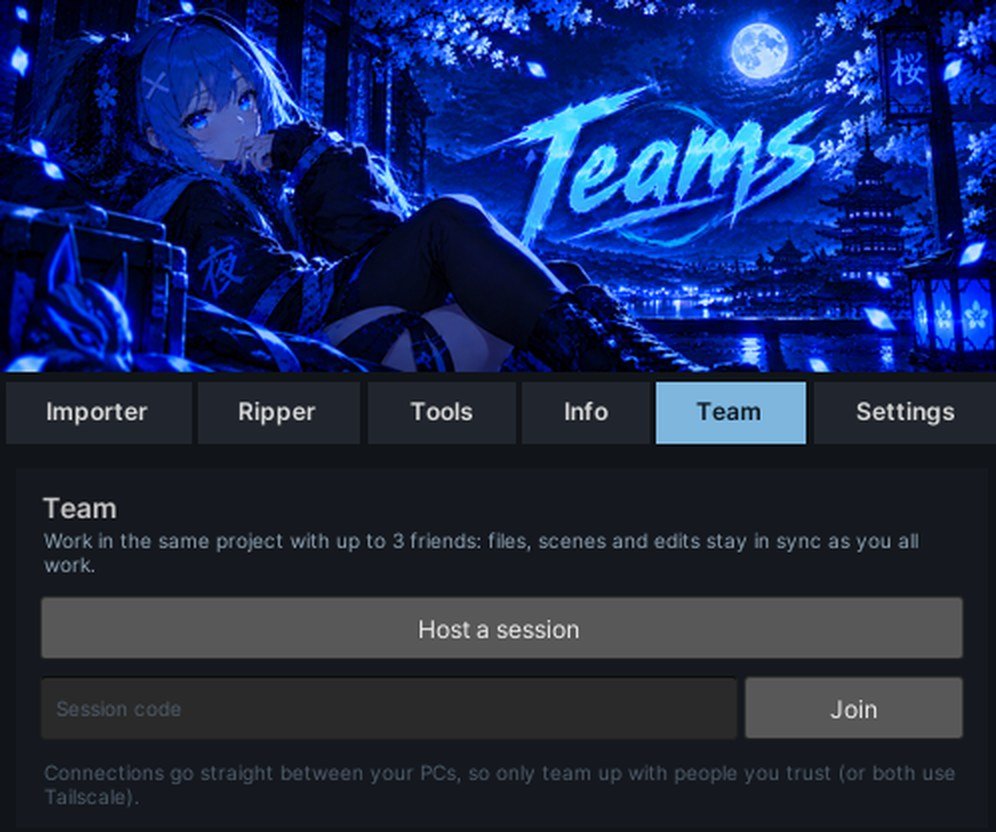
The Team tab in the WPFMA panel
Themes

Make it yours

Pick a color in Settings and the whole panel, banners included, changes with it. Try it here, this site follows along:

Team banner in Blue Team banner in Red Team banner in Green Team banner in Purple
Unity versions

Runs where you do

Anything that needs a newer Unity is skipped, and the SDK tells you why. Old 2019 projects get told how to upgrade instead of breaking.

2022.3.22f1 ✓ 2022.3.6f1 ✓ 2019.4 → upgrade
Everything inside

This is the panel

Click the tabs. It works like the real one in Unity, under WPFMA-SDK → Open WPFMA-SDK.

WPFMA Panel

Bring packages in without clicking through every window.

Your packages 2

  • Import queueDrop .unitypackages in the Import folder and bring them in one after another.
  • Package listSearch, see sizes, and pick what to import.

Free packages 1

  • One-click installsFree creator packages like VRCFury, lilToon and Gesture Manager, straight from their official sources.

Open VRChat bundle files and bring them back into Unity.

Open 3

  • .vrca, .vrcw, .vrcbAvatar, world and item files. Drag in files or a whole folder.
  • Shader listEvery shader a file uses, and which ones you already have.
  • PreviewLook at it in a scene first, with an optional ground.

Export 3

  • ExportInto the project, ready to use.
  • Extract filesTo a folder on your PC.
  • OptionsCopy into the project and clear the blueprint ID. More in Settings.

The tab changes with your project: avatar tools or world tools.

Setup 5

  • Avatar setupDescriptor, FX controller, menu and parameters, visemes, eye blink and view position for a new model.
  • Component copierMove PhysBones, contacts, constraints, VRCFury and Modular Avatar parts to another avatar.
  • Toggle creatorOn/off toggles for clothes and props, menu and animations made for you.
  • PhysBonesPresets for hair, tails, skirts and ears.
  • Modular AvatarPut an outfit inside your avatar and click Setup Outfit.

Check & fix 5

  • Pre-upload checkMissing scripts, pink materials and other problems before you upload.
  • Performance rankYour PC and Quest rank and the stats behind it.
  • Parameter budgetSynced bits used out of 256, and parameters nothing uses.
  • Face tracking checkerARKit, Unified Expressions and SRanipal blendshapes for VRCFT.
  • Animation path fixerRepairs clips broken by renamed or moved objects.

Optimize 5

  • Blendshape bakerBake shape keys like body sliders into the mesh.
  • Avatar CompressorSmaller textures on upload, originals untouched.
  • Texture optimizerMax sizes, crunch, Quest ASTC and mipmaps in one place.
  • Bulk shader swapChange the shader on lots of materials at once.
  • Easy Quest SwitchPC and Quest versions in one project.

Files 5

  • FBX exporterExport a model to FBX for Blender.
  • Package creatorMake a .unitypackage of your stuff.
  • Thumbnail studioUpload pictures with text and effects.
  • Re-uploadUpload an avatar again.
  • Change logEvery tool change is saved, so you can put things back.

Who made it and what it's built on.

Credits

  • Made by LiteralPlus credits for every package WPFMA-SDK ships with or needs.

Shortcuts

  • Open SDK Control PanelStraight to VRChat's build and upload window.
  • Import folderJump to where the Importer looks for packages.

Up to 4 people in one project. Files, scenes and edits stay in sync as you all work.

What syncs

  • Live editsMoving, adding and deleting objects, components, materials, prefabs, avatars and lighting.
  • Your projectEverything when someone joins, then every new or changed file.
  • No missing stuffNew files can't be placed until everyone has them.
  • Project settingsLayers, tags and collisions follow the host.

Seeing each other

  • Camera ballsEveryone's view in the Scene, in their own color.
  • SelectionsSee what others picked. What they're editing is read-only for you.
  • Chat, ping, followChat, Alt+G to ping a spot, and Follow / Jump buttons.

Safe by default

  • Paid stuff stays putNever sent. Friends get a list of what to buy.
  • Scripts waitOthers' scripts only come in if you trust them.
  • BackupsAnything replaced is backed up first.
  • Hard to breakReloads, closing Unity or a crash don't end it.

Make it look and work how you like.

Look 4

  • ThemeRecolor the whole panel and its banners.
  • Build panel themeVRChat's build panel in WPFMA colors, without touching the SDK's files.
  • Hierarchy iconsComponent icons right in the Hierarchy.
  • Tools shownHide the tools you don't use.

Workflow 4

  • Animator defaultsNew layers at weight 1 and instant transitions.
  • Package importHow bundled packages get added.
  • RipperExport options.
  • Welcome screenShow it or skip it.

Extras 2

  • Discord statusShow what you're working on, or keep it private.
  • Linux & WineSettings for running Unity on Linux.
Team

Three clicks to
build together

No accounts, no server holding your files. Your PCs talk to each other directly.

1

Host

Open the Team tab and click Host a session. Pick what to share and what to trust, once.

2

Share the code

Send your friends the code. They type it in and click Join.

3

Build

They get your project, open your scene, and every change shows up for everyone.

Alex host Sam 38 ms Riley 52 ms Jordan 71 ms
Get started

Install

Three steps

  1. Download the .unitypackage.
  2. Open your VRChat project in Unity 2022.3. Creator Companion projects work.
  3. Import it. On a new project it asks avatars or worlds and sets up the right packages.

Using Team? Everyone in a session needs the same version. Update together before you connect.

Unity versions

VersionStatusNotes
2022.3.22f1RecommendedEverything works. VRChat's current version.
2022.3.6f1WorksAvatar Compressor needs 22f1, so it's skipped.
2019.4.31f1NoTurns itself off and shows how to upgrade.

Grab BETA 1.15

Free. Bring your friends.